
Bloxian Business Updates & Events
Seasonal badges, patch habits, and what changed around the Bloxico branch.
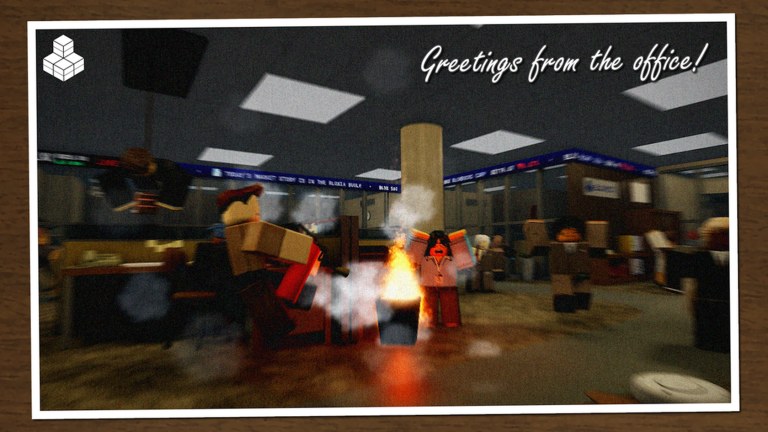
The Updates Hub tracks notable changes, seasonal events, and badge moments for Bloxian Business on Roblox. nautisaurus’s co-op office tycoon iterates through tasks, profit upgrades, ranks, and décor—and community interest spikes whenever a limited event lands. Use this page as the timeline index, then open child articles for deeper write-ups.
November 2026 snapshot
Last observed client activity around November 3, 2026, with visits still growing (~600K+ on public listings). The experience continued to show seasonal framing from the Halloween 2026 badge for players who participated in the event. Public listings highlighted pumpkin-era presentation alongside the usual Bloxico pitch: work with up to eight friends, complete tasks and events, grow the branch. For the full event-focused article, read Halloween 2026.
Other evergreen systems called out on the official page remain relevant after the spooky season:
- Server size 9 (up to eight friends)
- Loop pillars: Tasks & Events, Profit & Upgrade, Rank & Earn, Buy & Decorate
- Roblox Plus: +5% paycheck and 1 mission swap daily
- Onboarding badge flavor such as Candidate for Intern
There is still no public changelog with numbered patch notes we can republish. Until nautisaurus posts one, this hub keeps a single featured child—Halloween 2026—and we will not invent fake patch bullets. When a real notes post lands, add a new child page and link it here so the hub stays the single chronology.
Featured update pages
- Halloween 2026 — event participation, badge notes, and how seasonal goals interact with normal office work (still the only dedicated child until a public changelog exists)
How we cover patches
Honest update pages should answer:
- What players can see or unlock right now
- Whether rewards are limited-time
- How co-op roles should shift for the event
- Whether codes or shop rotations changed
- What to stop doing from last season’s meta
We refuse to invent patch notes. If something is unconfirmed, the article says so. Cross-check announcements via the links hub and community Discord discovered from official social links.
Playing through an update week
Update weeks punish disorganized lobbies. Before you spend a paycheck on décor, skim this hub, open the latest child page, and run the session checklist with event objectives pinned at the top. Spend according to upgrade priority unless the event explicitly rewards a different currency sink.
New coworkers joining during a hype spike should still complete Getting Started basics so they do not block event lanes. Veterans can host onboarding nights advertised through the players hub.
Badge tracking tips
- Screenshot badge descriptions when an event starts; text can shift later.
- Confirm whether the badge is freebie-tier participation or skill-gated.
- Do not buy account shares to force completions.
- After the event ends, keep cosmetics you earned—future flex still matters on a decorated floor.
Between big drops
Quiet weeks are for optimization: pathing, paycheck upgrades, and recruiting stable coworkers. Empty codes lists are normal; do not stall progression waiting for promos. Avoid shady executors discussed on the scripts hub safety page.
Stay subscribed to the right channels
Roblox experience social links → official Discord → this Updates Hub → optional creator shoutouts. That order filters rumor. When Halloween-style events return next year, expect another child article and another scramble for themed screenshots.
Keep the branch ready. Bloxia waits for no one—but prepared offices claim badges first.
Frequently Asked Questions
Quick answers for Bloxico branch managers.
What is the newest event covered here?
Halloween 2026, including its participation badge. Open the dedicated child page for details.
Where do official patch notes appear?
Prefer social links on the Roblox game page and the official Discord. This hub summarizes confirmed, player-relevant changes.
Do updates reset my office progress?
Major wipes are uncommon and would be called out loudly. Still back up screenshots of prized layouts before big patches when possible.
Should I save currency before an event?
A modest reserve helps if the event adds limited décor or upgrades. Do not freeze all progression—keep S-tier upgrades flowing.