
Bloxian Business Guides
Walkthroughs for tasks, ranks, decorating, co-op, controls, and events.
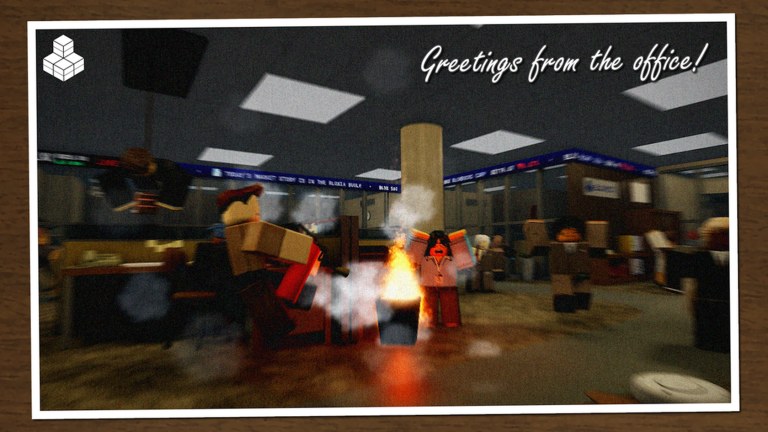
Welcome to the Guides Hub for Bloxian Business, the co-op office simulation and tycoon experience by nautisaurus. You and up to eight friends manage a new Bloxico branch: complete tasks and events, turn profit into upgrades, climb ranks for better paychecks, then buy and decorate the office until the branch feels like a real workplace.
This hub is the map for every how-to page on the wiki. Use it when you are stuck on the first hour, hunting a promotion, planning furniture buys, learning the UI on mobile, or catching a limited-time event badge. Pair these guides with the Codes page (honest about what is active), the Tier List for upgrade priorities, Updates for patch notes, Players for notable runs, Scripts for safety notes, and Official Links for Discord and the Roblox place page.
Start here if you are new
New hires should begin with Getting Started. That page covers joining a server, reading the office loop, earning the A Candidate for Intern badge, claiming early paychecks, and deciding whether to solo a quiet branch or fill a full nine-player lobby with friends. A full CHALLS video walkthrough is embedded there so you can watch profit and promotion tips while you play.
After the first session, jump into Complete Tasks & Events so you stop wasting movement on low-value chores, then Rank & Earn so paycheck growth stays intentional instead of accidental. When you want a focused promotion sprint, open Get Promoted Fast for session templates that push rank without inventing fake XP numbers.
Core loop guides
Bloxian Business is built around four pillars from the official description. Each pillar has a dedicated guide:
- Complete Tasks & Events — Complete Tasks & Events explains how to batch work, handle event interruptions, and keep the branch numbers climbing without burnout.
- Rank & Earn — Rank & Earn covers promotions, paycheck habits, Roblox Plus bonuses (5% paycheck earnings and one mission swap daily), and a SirNeble video on grinding higher ranks. Follow with Get Promoted Fast when the ladder feels stuck.
- Buy & Decorate — Decorate Your Office helps you spend profit on furniture and upgrades that improve morale and presentation without emptying the vault.
- Co-op teamwork — Co-op With Friends shows how to split roles across a server of up to nine players so everyone contributes instead of competing for the same interactables.
Systems and seasonal pages
Not every question is about profit. Use these when you need clarity on input, UI, badges, or limited-time content:
- Controls & UI — PC and mobile inputs, menus, and how to find tasks without fighting the camera.
- Halloween 2026 Event — how the seasonal event worked, how to earn the Halloween 2026 badge, and what to watch for in future holiday drops.
- Badges — onboarding and seasonal badge checklist (Intern, Halloween 2026, and how to track the next drop).
Check Updates whenever an event ends or a new badge appears so you do not chase expired objectives.
How to use this wiki while you play
Keep one browser tab on this hub and one Roblox window open. When a mission feels unclear, open the matching guide instead of restarting the server. When friends join, send them Co-op With Friends and Getting Started so the branch starts aligned. When you are deciding what to buy next, skim Decorate Your Office and the Tier List before spending a paycheck.
Be honest about unknowns: exact furniture prices, every rank threshold, and hidden multipliers can change with patches. These guides teach strategy and workflow—what to prioritize, how to communicate, and how to avoid common traps—without inventing fake numbers. If a tip conflicts with what you see in-game after a patch, trust the live client and report the change on Discord so the wiki can update.
Recommended reading order
- Getting Started
- Controls & UI
- Complete Tasks & Events
- Rank & Earn
- Get Promoted Fast
- Decorate Your Office
- Co-op With Friends
- Halloween 2026 Event (or the next seasonal page when it replaces Halloween)
- Badges when you want a profile milestone checklist
Cross-link as you go: every guide points to siblings under this hub so you never dead-end after one article. For community tips and coworker LFG, use the official Discord listed on Official Links. Favorite the Roblox place, keep an eye on Updates, and treat every paycheck as fuel for the next upgrade—not just a vanity number.
Bloxia waits for no one. Pick a guide, clock in, and grow the branch.
Frequently Asked Questions
Quick answers for Bloxico branch managers.
Which Bloxian Business guide should I read first?
Start with Getting Started, then Controls & UI if the menus feel confusing. Move to Complete Tasks & Events and Rank & Earn once you understand the office loop.
Do these guides invent exact prices or rank thresholds?
No. When the live game does not publish stable numbers, we give practical priorities and workflows instead of fake stats that would go stale after a patch.
Where do I find codes, scripts, and update notes?
Use the Codes, Scripts, and Updates hubs linked from this page. Codes and scripts pages stay honest about what is verified versus missing.
Is Bloxian Business better solo or with friends?
Both work. Solo is quieter for learning; co-op with up to eight friends (server size nine) is the intended social loop. Read Co-op With Friends before filling a lobby.