
How to Redeem Bloxian Business Codes
Stay ready for the next official drop without falling for fake lists.
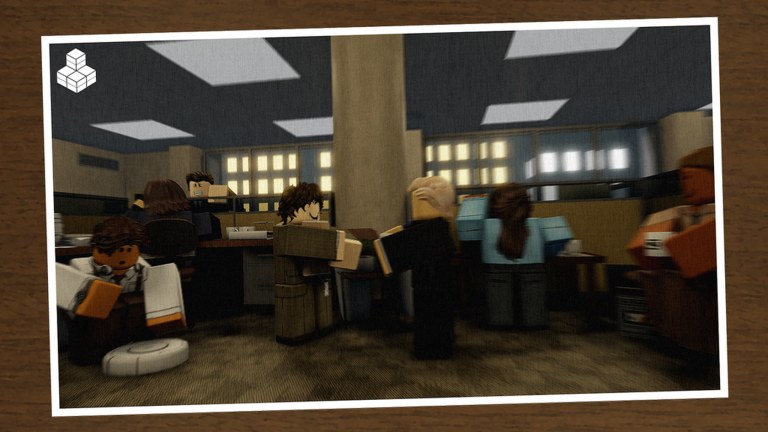
Redeeming codes in Bloxian Business should be boring in the best way: copy a string from an official post, paste it once, collect the reward, get back to running your Bloxico branch. Because promo campaigns are rare—and our Codes Hub currently shows no verified active codes as of November 2026—this guide focuses on durable habits that still work when the developer finally ships a drop.
Bloxian Business is a co-op office tycoon by nautisaurus. Servers hold nine players (you plus up to eight friends). The loop of tasks, profit, ranks, and decoration does not depend on codes, but a well-timed gift can accelerate a paycheck spike or unlock a cosmetic flex. Treat codes as optional boosts, not the progression backbone.
Step 1 — Confirm the code is real
Before you touch any UI:
- Open the official Roblox experience page and check Social Links.
- Join the community Discord linked from those socials or from a trusted discovery listing (details on the links hub).
- Read the announcement channel or pinned posts for an exact code string, reward description, and end date if provided.
- Ignore DMs, random YouTube descriptions, and “leaked” paste sites that ask you to log in elsewhere.
If nobody on the official channels mentions a code, assume there is nothing to redeem. Cross-check the Codes Hub after major updates or events such as Halloween 2026.
Step 2 — Launch into a live server
Codes almost always require an active session:
- Launch Bloxian Business from Roblox.
- Prefer a quiet private-ish lobby with friends if you are mid-upgrade, so you can notice inventory changes.
- Finish or pause critical tasks so a UI popup does not interrupt a timed event.
- Keep enough backpack or decoration slots free if the reward might be a physical item.
Roblox Plus players already enjoy +5% paycheck and one mission swap per day. Redeeming a code does not replace those perks—stack them when both exist.
Step 3 — Look for an in-game Codes UI
Many Roblox experiences expose a Codes, Twitter, or Gifts button on the HUD or in a settings tablet. In Bloxian Business builds:
- Scan the main HUD corners and menu icons for a gift box, ticket, or “Codes” label.
- Open any Shop, Settings, or Phone-style panel and look for a text field labeled Codes, Redeem, or Promo.
- Paste the string carefully. Do not add spaces before or after unless the announcement shows them.
- Submit once. Wait for a success toast or error message before retrying.
- If the UI is missing entirely, skip to Step 4—do not download random “code redeemers.”
UI placement can move after patches. If a seasonal event is live, the redeem entry might sit next to event currency panels. When in doubt, reread the Discord post; creators often include a short “open X menu” note.
Step 4 — Fallback: Discord-directed redeem methods
If there is no Codes box yet, official posts sometimes describe alternate claim flows—visiting a booth, talking to an NPC, or typing a chat command during an event. Only follow instructions that appear in official Discord or group announcements. Never run executor software to “force redeem.” For safer progression advice, use the guides hub and scripts hub safety notes instead of shady tools.
Typical Discord-era habits for Roblox office games:
- Watch
#announcementsor#codesthe morning after an update. - Enable ping permissions for the announce role if the server offers one.
- Screenshot the code locally so you can retype it if clipboard fails on console.
- Share the working string with coworkers in your nine-player lobby so the whole branch claims it.
Step 5 — Verify the reward landed
After a successful redeem:
- Check currency, paycheck modifiers, and decoration catalogs.
- Look for new badges or event items if the campaign was seasonal.
- Rejoin once if the reward UI glitched—do not spam-submit the same code dozens of times.
- Note whether the gift was account-bound or session-only so you know whether alts need their own claim.
Then return to productive play. Use the upgrade priority list to spend any sudden cash, and the session checklist to fold the bonus into today’s goals.
Platform quirks (PC, mobile, console)
- PC: Clipboard paste usually works; keep the announcement tab open beside Roblox.
- Mobile: Long-press paste; watch for autocorrect changing letter case.
- Console: Type slowly; have a friend read the code aloud from Discord on a phone.
Voice chat is not supported in this experience, so coordinate redeem timing through Discord or Roblox text chat.
Troubleshooting
| Symptom | Likely cause | What to try |
|---|---|---|
| Invalid code | Typo, expired, or fake | Recopy from official post; check Codes Hub |
| Already redeemed | One claim per account | Stop retrying; ask if alts are allowed |
| No Codes button | UI not shipped or moved | Follow Discord method; wait for patch |
| Reward missing | Lag or full inventory | Rejoin; free space; contact staff via official Discord |
What not to do
- Do not enter your password on any “Roblox code generator.”
- Do not pay real money for “private” code lists.
- Do not assume every Halloween badge event includes a promo string—see Halloween 2026.
- Do not derail co-op sessions for twenty minutes of code hunting when tasks and events are the real rank engine.
Pair redeeming with real progress
New players should finish onboarding via Getting Started before obsessing over promos. Veterans should keep an eye on players community channels so code news reaches the office fast. When nothing is live, invest time in decoration ROI and mission routing instead—the tools hub exists for exactly that kind of practical planning.
Stay skeptical, stay official, and treat an empty codes list as a feature: it means this wiki refuses to waste your claim attempts on fiction.
Frequently Asked Questions
Quick answers for Bloxico branch managers.
Is there a Codes button in Bloxian Business right now?
Layouts change by update. Always scan the HUD and menus first; if none exists, follow the redeem method described in official Discord or group posts.
Can I redeem the same code on multiple accounts?
Usually each Roblox account claims once. Check the announcement—some campaigns are stricter. Never share passwords between accounts.
What if a code worked for my friend but not for me?
Confirm spelling and expiry, then rejoin a fresh server. If it still fails, the code may be region-limited, already used, or revoked—ask in official Discord.
Should I stop playing until a code drops?
No. Tasks, upgrades, ranks, and decoration drive the game. Codes are occasional bonuses on top of that loop.